Prose
Use Prose to write a chapter
Ask Prose in plain language; it can draft full chapters and show the result for review before you accept it.
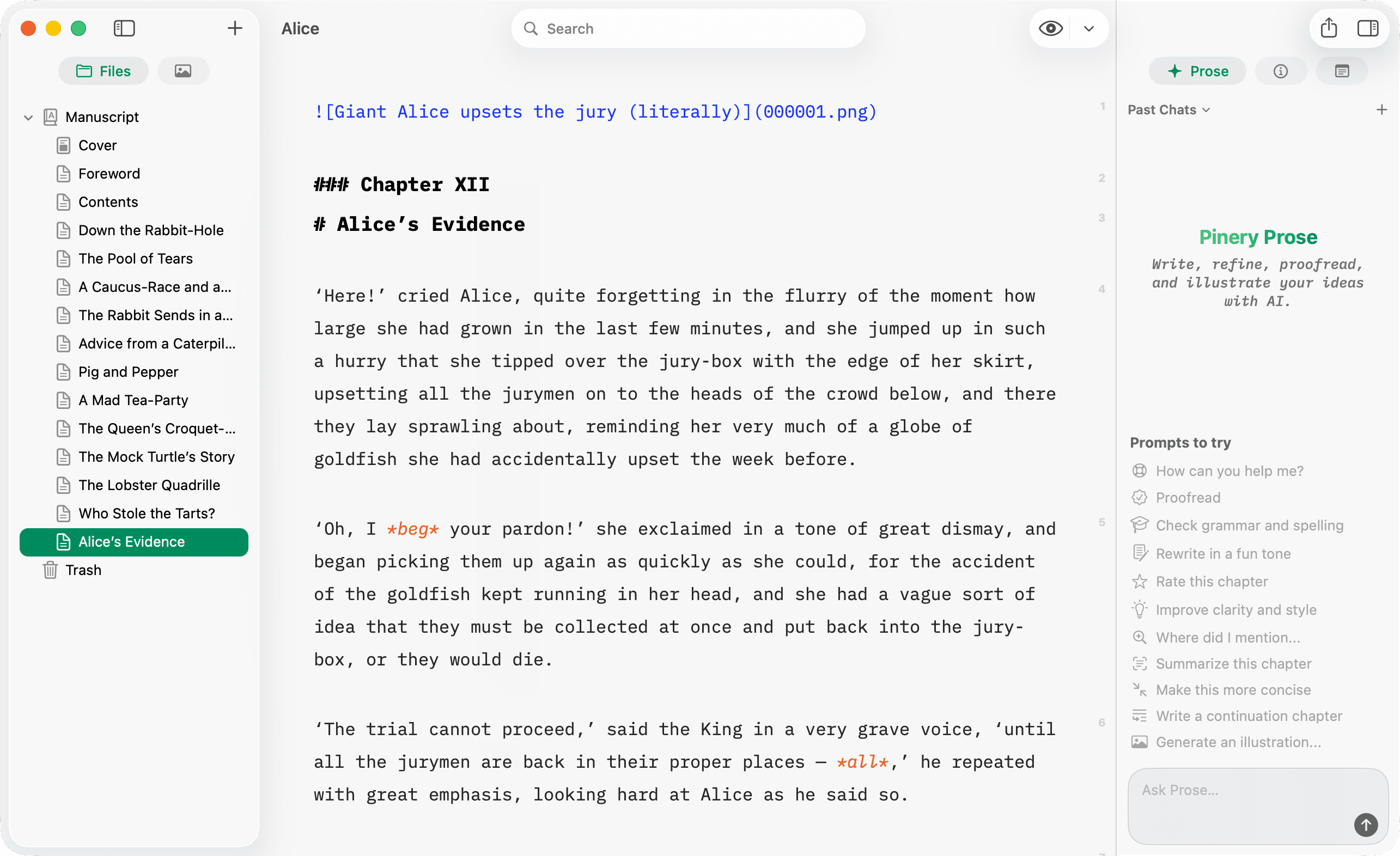
Open Prose
- Select a chapter (or create one).
- Open the Prose panel from the right inspector.
- Type a prompt, or pick Write a continuation chapter from Things to try.
Example prompts
More copy-paste examples live in the prompt cookbook. A few starters:
Write a new chapter titled “The Harbor at Dawn” in a lyrical tone. About 800 words. No images.
Continue this chapter from the last paragraph. Match the pacing and voice.
You can ask for artwork in the same breath—Prose drafts the chapter and generates the illustration together:
Add a chapter about fermentation basics; include one illustration of a jar cross-section.
Or use the bundled skill: /continue-chapter
Review and accept
Prose streams the draft in the chat. When finished, review the preview and Accept to insert the new chapter (or Reject to discard it). Before accepting a brand-new chapter, you can also pick where it slots into the book.
Keep iterating before you accept
The draft stays pending until you decide, so you can refine it in follow-up messages:
Make it about 20% shorter and change the title to “First Light”.
Prose transforms the pending draft instead of creating a duplicate chapter.
Prose requires an active Pinery subscription and network access. Usage limits may apply.